Way 1: wireless with TeamUP
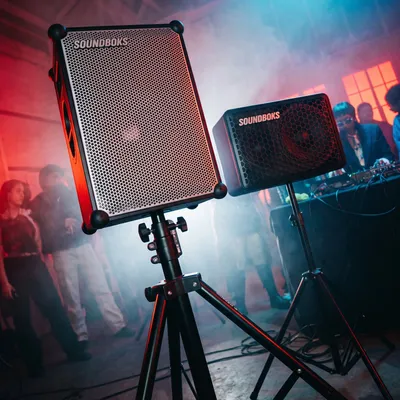
The quickest way. Up to five SOUNDBOKS then play the same music, no cables.
- Switch on the SOUNDBOKS. It starts in SOLO mode.
- Press the orange TeamUP button until HOST lights up.
- Connect your phone, laptop or DJ controller to the HOST box: Bluetooth, XLR or AUX.
- Switch on the second SOUNDBOKS and press TeamUP until JOIN lights up.
- Place both boxes side by side. They find each other within seconds.
Not working? The reset trick
From our rental experience: pairing fails most often when a box was paired with other SOUNDBOKS before. Resetting the Bluetooth receiver fixes it.
- On the JOIN box, find the ProPanel: at the bottom of the back.
- There is a small button with an LED.
- Press it up to six times in quick succession until the LED turns orange.
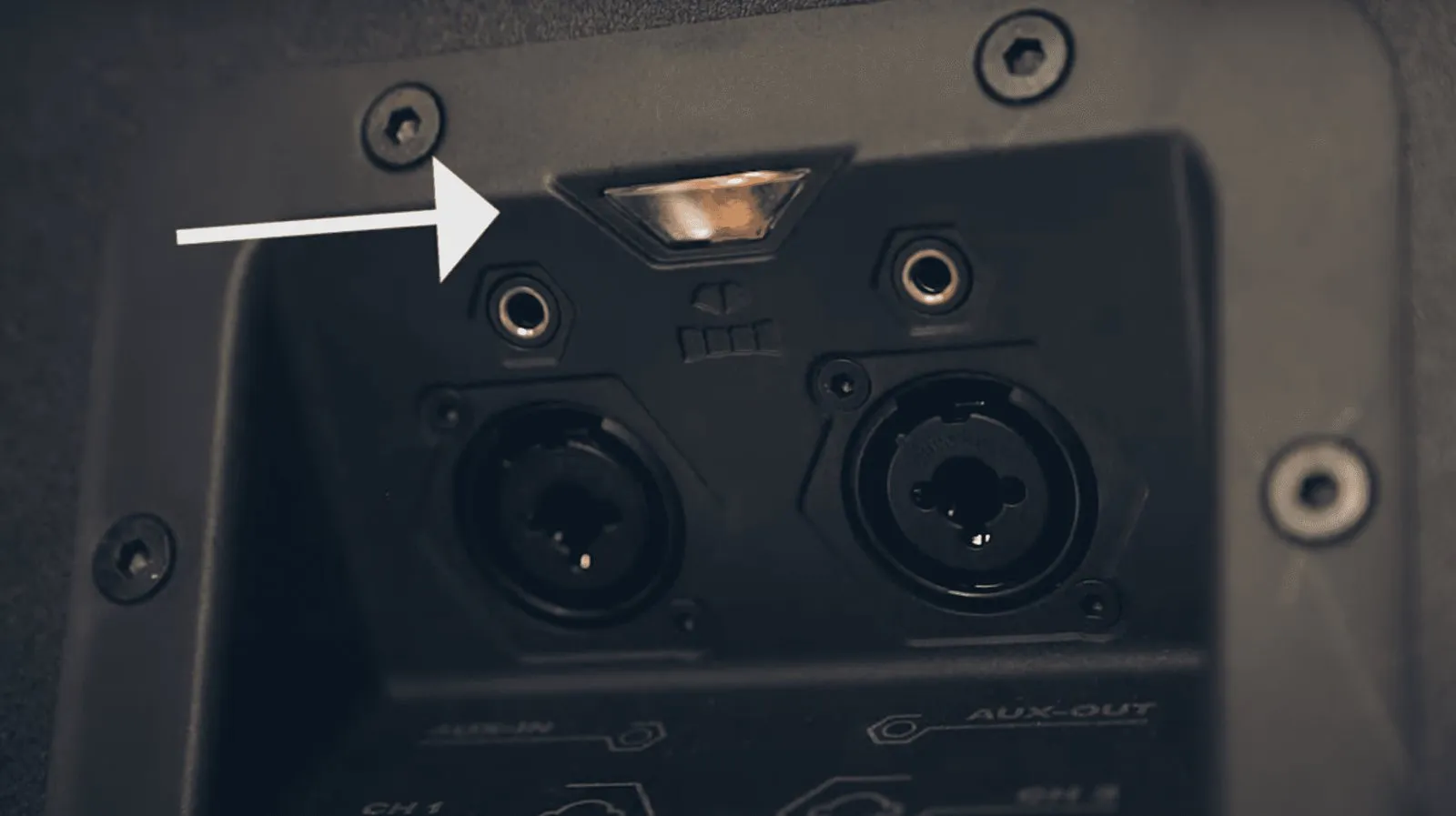
In most cases the boxes connect right after.
Way 2: with a cable
Cable is the safe choice when nothing may drop out: a wedding speech, a stage, or the second box is far away. More than five boxes also only works this way.
- Switch on the first SOUNDBOKS and connect the music source via Bluetooth or XLR.
- Find the AUX output on the ProPanel at the bottom of the back.
- Plug an AUX cable from the AUX output of the first into the AUX input of the second box.
- Repeat for each further box.
Way 3: with the app
Instead of the button you can use the SOUNDBOKS app. You need an account.
- Turn on Bluetooth on your phone and open the SOUNDBOKS app.
- Switch on both SOUNDBOKS and connect them in the app one after the other.
- Pull the black control panel down. Both boxes appear at the top.
- Drag one SOUNDBOKS icon onto the other. Side by side, they pair.
Which way for which event?
| Way | Boxes | Cable needed | Good for |
|---|---|---|---|
| TeamUP button | up to 5 | no | Parties, quick setup |
| AUX cable | unlimited | yes | Weddings, stages, long distances |
| SOUNDBOKS app | up to 5 | no | If you use the app anyway |
Our recommendation: TeamUP for parties, cable as soon as someone speaks into a mic.
Can SOUNDBOKS 3, 4 and Go be paired?
Yes. All SOUNDBOKS models pair with each other: wirelessly, by app and by cable. The SOUNDBOKS 4 and 3 also have the ProPanel with XLR and 6.35 mm jack input for a mic and mixer.
Pairing FAQ
How many SOUNDBOKS can I pair?
Up to five wirelessly. For more boxes or long distances, link further boxes with an AUX cable.
Why can't the second SOUNDBOKS find the first?
Usually it was paired with other boxes before. Reset its Bluetooth receiver with the button on the ProPanel: press up to six times quickly until the LED turns orange.
Do I need an account for the app?
Yes. The SOUNDBOKS app only works with an account. If you do not want one, use the TeamUP button.
Can I pair a SOUNDBOKS with a JBL?
Not wirelessly, TeamUP only exists on SOUNDBOKS. With an AUX cable you can pass the signal to any box with an AUX input.
Need a second SOUNDBOKS for your event?
From around 50 guests a second box pays off. Rent it at 75+ locations.